00 Days
:
00 Hours
:
00 Minutes
:
00 Seconds
Black Friday / Cyber Monday
30% OFF all plugins
Including renewals
Nov 27–30, 2026
MediaCommander simplifies organizing WordPress pages and posts into folders. Navigate to the “Posts” or “Pages” screen in your WordPress admin area and use the left sidebar to manage folders.
Note: If you can’t see the panel, click the “switch sidebar” button in the admin menu at the side of the screen.
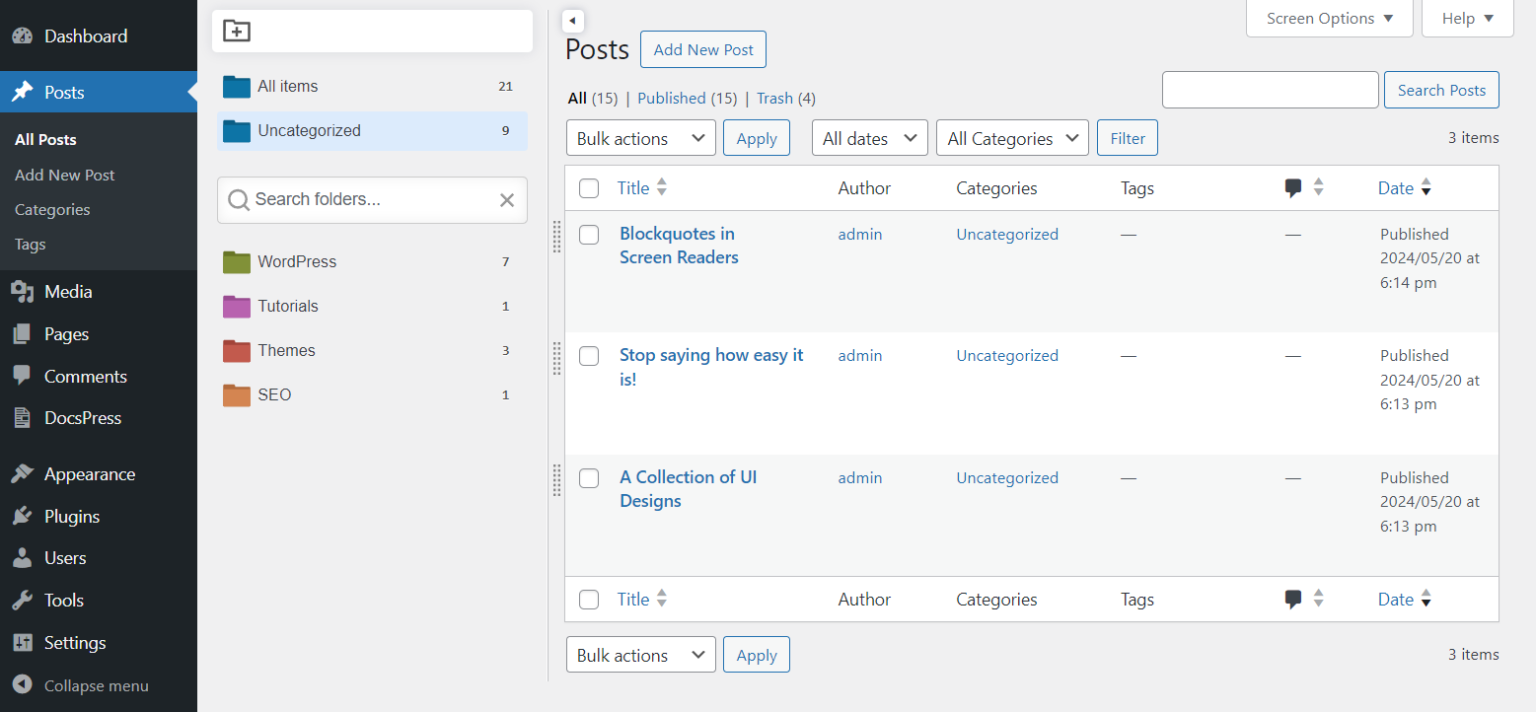
Use the top toolbar to create and sort items:
Note: Deleting a folder does not delete its contained posts or pages.
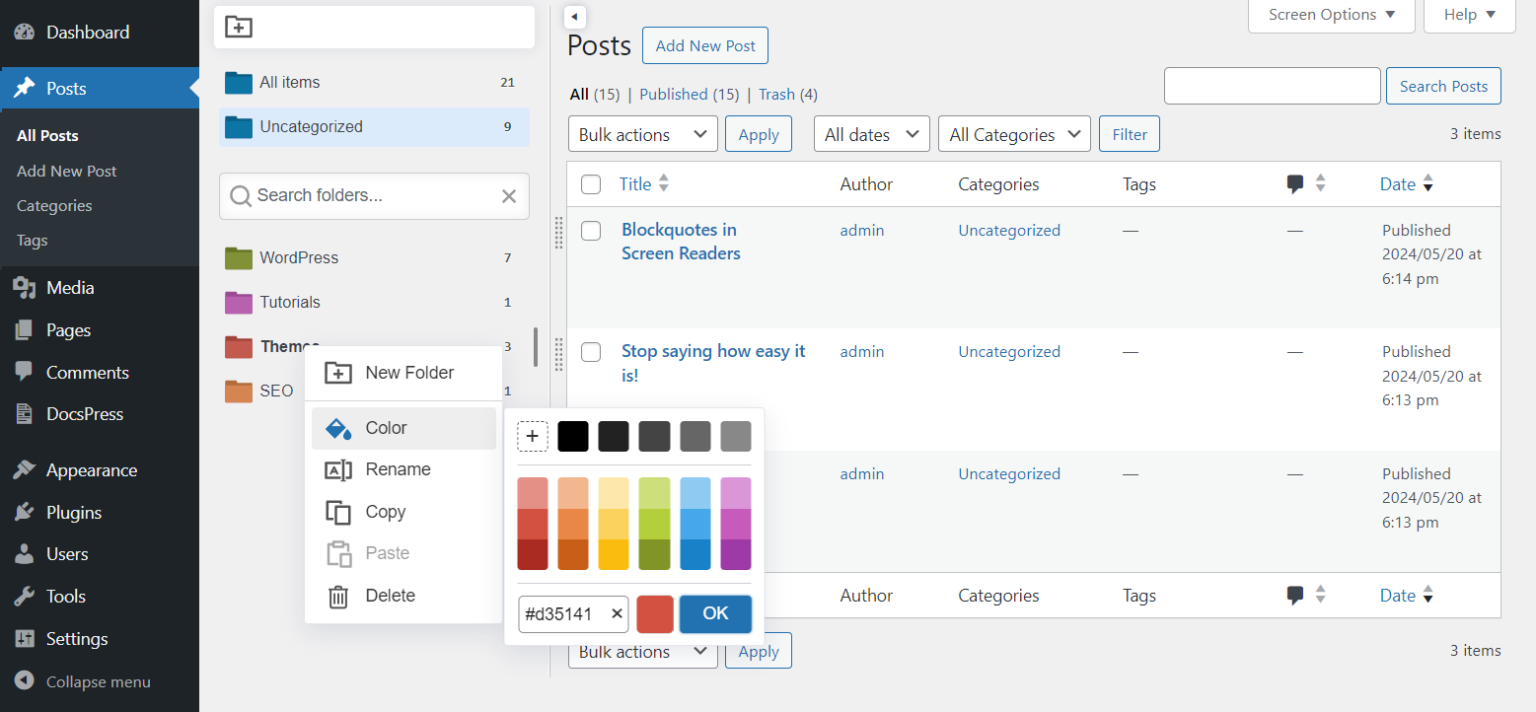
Once you have created your folder structure, you can begin organizing your content. MediaCommander supports full drag-and-drop functionality for both individual and bulk items.
To organize large amounts of content efficiently, you can move multiple items simultaneously:
Note: You can hold the “Shift” key to select a continuous range of folder items, or “Ctrl/Cmd” to select specific multiple folder items.
Arranging and organizing your folders for posts and pages is simple and intuitive. MediaCommander provides a fully visual, real-time environment to structure your content repository exactly how you see fit.
This method provides an immediate, dynamic way to manage your content. Any changes made to the folder hierarchy are updated instantly in your WordPress dashboard, ensuring a clean and streamlined workflow for content managers and editors without affecting the live URLs of your posts or pages.