00 Days
:
00 Hours
:
00 Minutes
:
00 Seconds
Black Friday / Cyber Monday
30% OFF all plugins
Including renewals
Nov 27–30, 2026
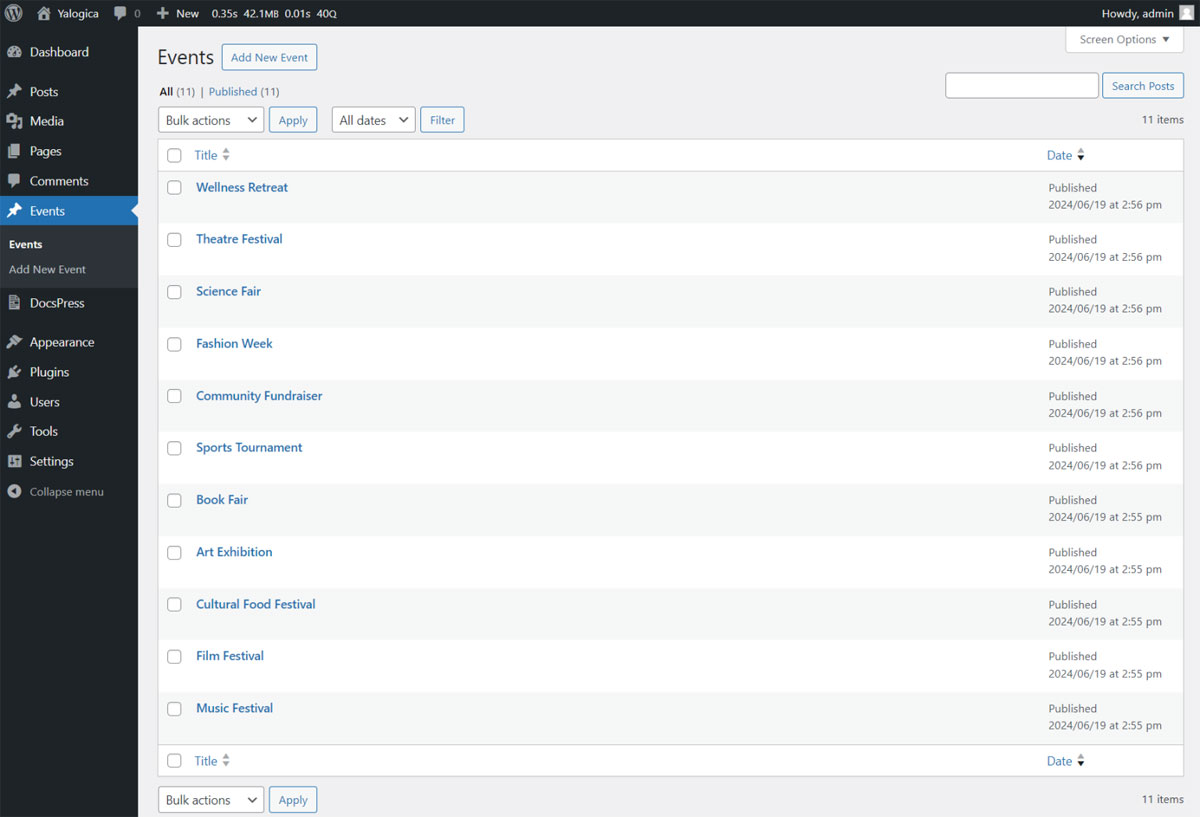
The ability to organize elements of WordPress custom post types using folders is similar to the media library, standard posts & pages. Here’s why leveraging custom post types in WordPress can significantly enhance your website’s functionality and user experience:
Utilizing custom post types empowers you to elevate your WordPress website, making it more engaging, user-friendly, and effective in achieving your desired goals.
The process of creating custom post types in WordPress can be done in two different ways: using a plugin or manually. These methods cater to different skill levels and user preferences. In our case, we will use the second method.
Let’s embark on a step-by-step journey to manually create a custom post type on your WordPress site, unlocking a world of possibilities for content customization and management.
functions.php file.function.php file./* My Custom Post Type Begin */
function create_my_customposttype() {
register_post_type(
'events',
[
'labels' => [
'name' => __( 'Events' ),
'singular_name' => __( 'Event' ),
'add_new' => __( 'Add New Event' )
],
'public' => true,
'has_archive' => false
]
);
}
add_action( 'init', 'create_my_customposttype' );
/* My Custom Post Type End */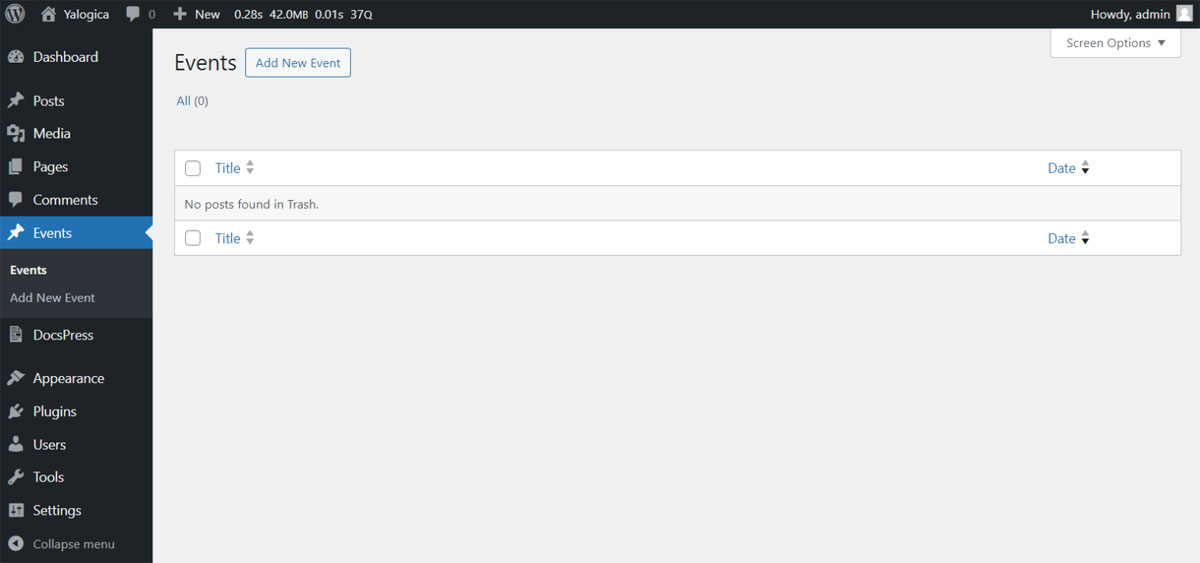
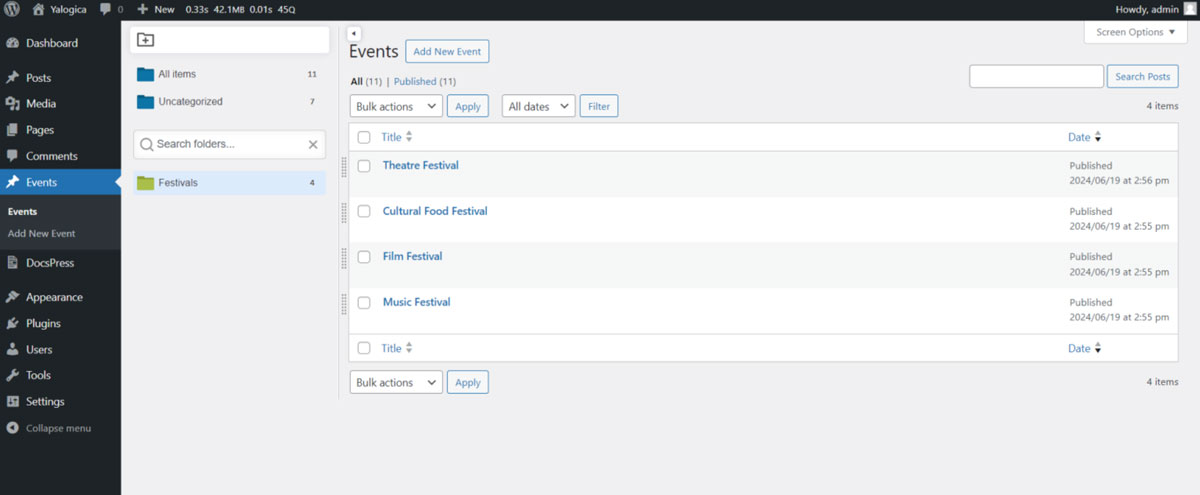
As result we can create folders for our custom post types, we can categorize and group similar content together, making it more efficient to manage and update your site. This is especially useful if you have a large number of custom posts or plan to expand your site’s content in the future.